
85% of customer-service and support leaders said they would explore or pilot customer-facing conversational generative AI during 2025, according to a Gartner survey of 187 leaders conducted in July and August 2024. That measures intent, not successful implementation. For an MSP, the useful question isn't whether AI can answer a call. It's whether the resulting ticket helps a technician work safely and leaves enough evidence to audit what happened.
An AI ticketing system earns its place by improving the work around resolution: gathering details, preparing records, finding relevant context, and escalating exceptions. More tickets processed means little if technicians spend the saved time correcting notes or reopening cases.
Table of Contents
- Why MSP Service Desks Are Turning to AI Ticketing
- How an AI Ticketing System Moves a Request From Call to Close
- MSP Use Cases Where AI Ticketing Saves Technician Time
- When AI Should Stop and Hand Off to a Technician
- How AI Ticketing Works Alongside Your PSA
- Security and Governance Checks Before You Connect
- Measure and Pilot One Queue Before Rollout
Why MSP Service Desks Are Turning to AI Ticketing
In 2024, 46% of organizations reported using service-desk ticket automation, according to Ivanti's IT Service Management research, based on surveys of more than 15,500 people. Automation is already part of the operating model. The decision is what authority to give it.
Say a client calls while your technicians are handling an outage. Instead of waiting for someone to answer, the caller speaks to an intake agent that records the affected application, business impact, contact details, and requested outcome. A technician receives a usable request rather than a voicemail saying something's broken.
That's the dispatcher analogy: the AI answers the radio, writes the log, and directs the job to the appropriate crew. The crew still owns the repair.
The illustration shows that supporting role.
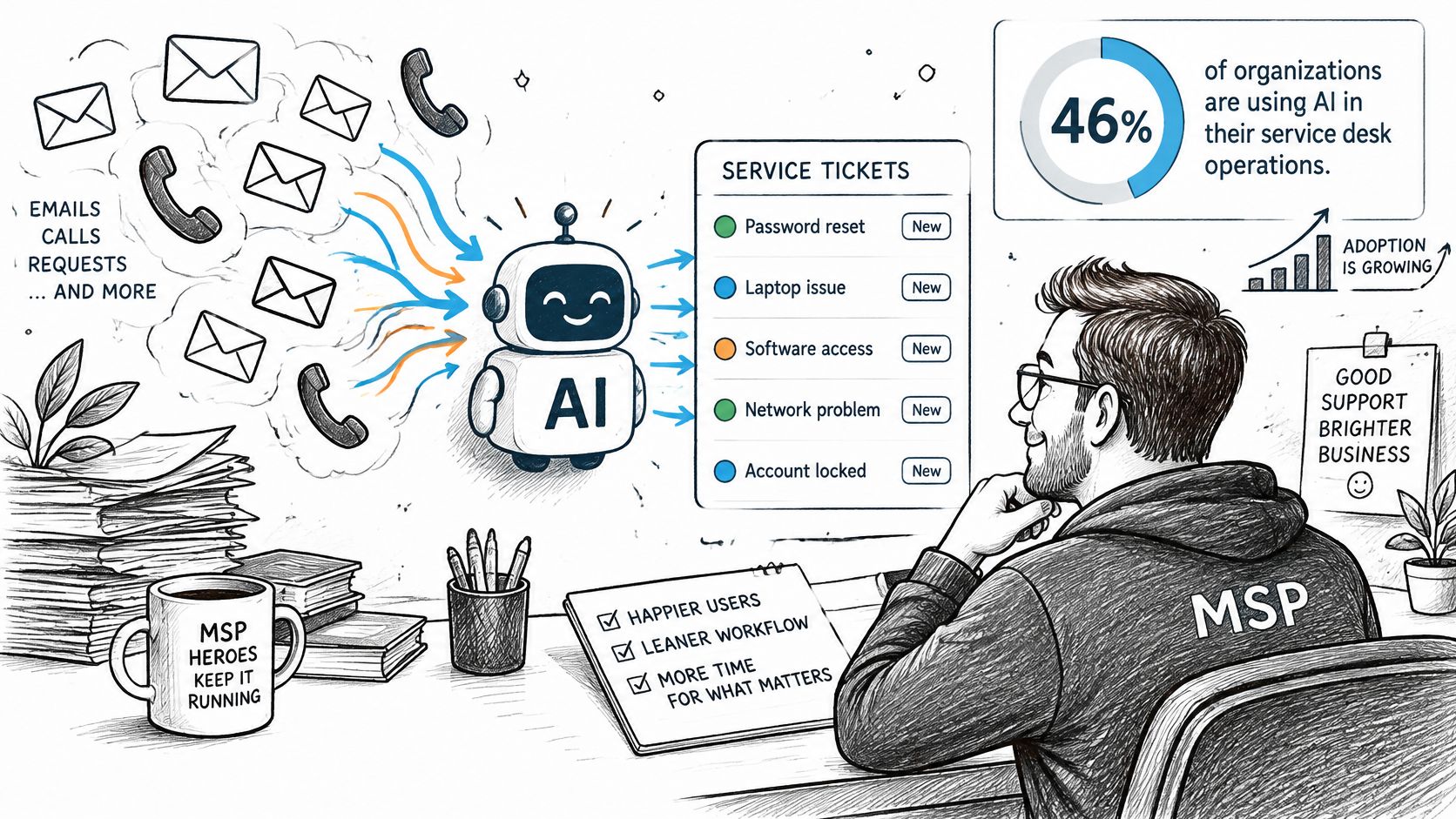
An AI ticketing system reads requests from calls, email, chat, and portals, then handles repetitive work around them. It can summarize conversations, categorize requests, ask follow-up questions, and retrieve previous fixes. It doesn't need to replace your professional services automation software, or PSA, to do that.
Where MSPs feel the pressure
Thin staffing makes every interruption expensive. After-hours callers need a clear escalation path, while technicians need to capture work that otherwise disappears into undocumented effort.
Keep these boundaries explicit:
- Intake and triage: Let automation gather information and propose routing.
- Documentation and knowledge: Use structured drafts and cited retrieval, not unsupported answers.
- Accountability: Keep consequential decisions with named people.
For broader context beyond the service desk, MR2 Solutions' overview of AI-powered customer experience and analytics connects conversational intake with operational analysis. For an MSP, start with whether the ticket arrives ready for someone to act.
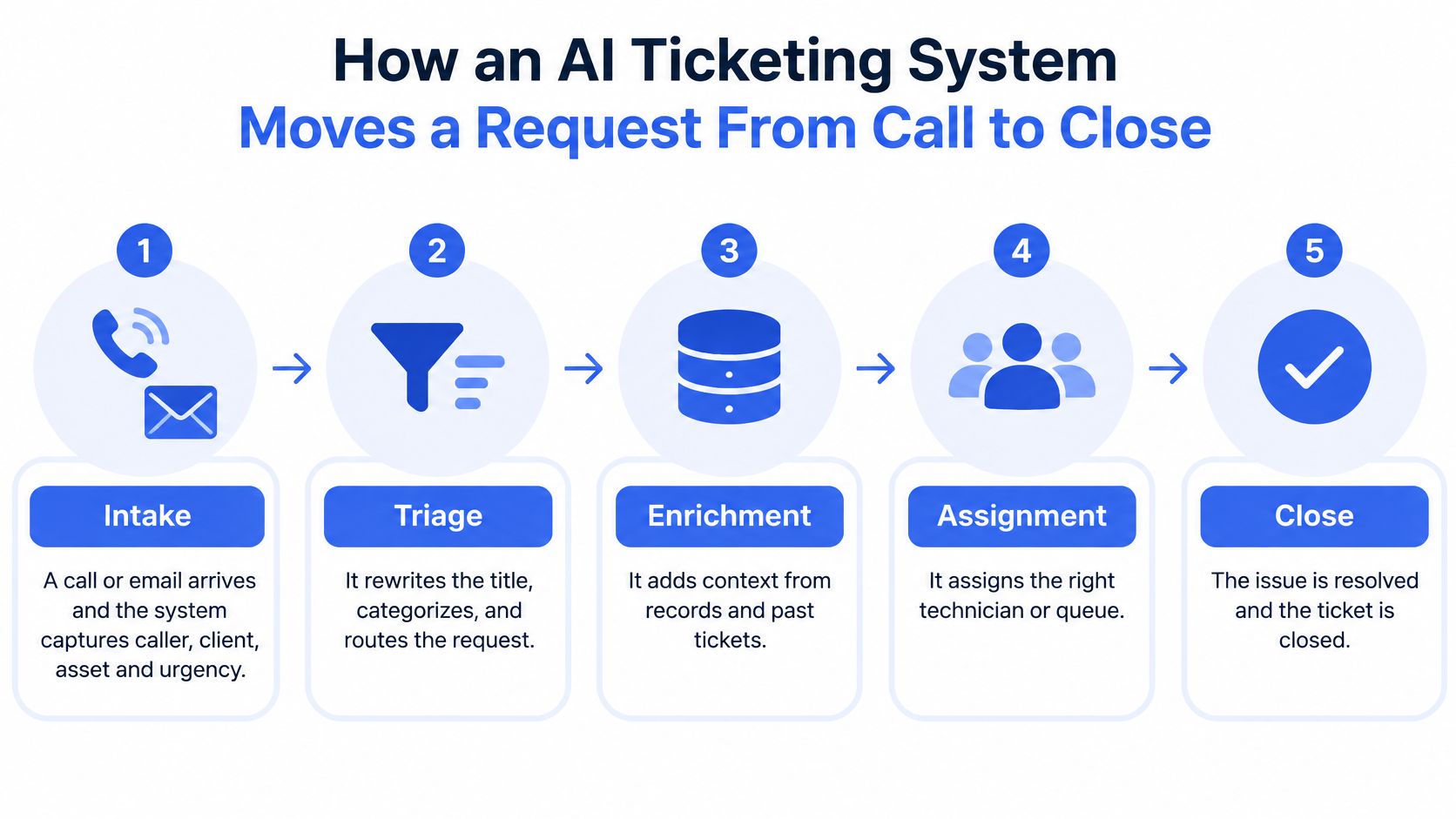
How an AI Ticketing System Moves a Request From Call to Close
Treat automation as a controlled triage-and-escalation pipeline, not permission to resolve everything it understands. The practical objective is less queue confusion and less repeated discovery.
This workflow illustrates the main transitions. Closure remains conditional on your approval rules.
Build the pipeline in request order
- Intake. Capture caller, client, affected asset, symptoms, and urgency. An unverified identity must remain marked unverified.
- Triage. Rewrite vague titles, propose a category, identify possible duplicates, and flag priority. Business impact matters more than dramatic wording.
- Clarify. Ask for missing diagnostic details and attach the reply to the existing request. Don't make a technician search a separate inbox.
- Document. Convert the conversation or work session into structured notes and draft time entries. Separate reported symptoms from observed results.
- Retrieve. Search approved documentation and earlier tickets, with citations. A similar error message isn't proof that the earlier fix applies.
- Escalate or close. Route uncertainty and risk to a person. Otherwise, move the request to the configured ready-to-work status, or close it only under an explicitly approved resolution policy.
Stage-by-stage actions in an AI ticketing workflow
| Stage | What the AI does | What a technician still checks |
|---|---|---|
| Intake | Captures caller details, asks questions, opens a ticket | Confirms caller, urgency, and client match |
| Triage | Rewrites title, categorizes, merges duplicates, flags priority | Reviews priority flags and duplicate merges |
| Clarify | Emails the client for missing diagnostic details | Checks the reply is complete before work starts |
| Document | Summarizes the call or session into structured notes and time entries | Approves time entries and closure notes |
| Retrieve | Pulls cited ticket history and documentation from prior fixes | Verifies the source before applying a fix |
| Escalate or close | Routes low-confidence or high-risk tickets to a person | Decides and owns any consequential action |
Preserve the decision evidence
MetricNet's ITSM benchmarking reports first-contact-resolution rates ranging from 74.5% to 89.3%. Those are service-management benchmarks, not promised AI results. Use them to keep attention on service outcomes rather than automation activity.
Every generated ticket should retain the original transcript, extracted entities, confidence information, retrieved sources, and status changes. Missing fields, uncertain classification, or sensitive incidents should block automated closure.
Practical rule: A readable summary isn't an audit trail. Keep the evidence behind it accessible to the technician.
For a video companion to the workflow, use the following walkthrough.
MSP Use Cases Where AI Ticketing Saves Technician Time
The most useful applications fix a recognizable handoff failure. They don't require giving an agent unrestricted control over client systems.
Calls and requests that arrive incomplete
The after-hours outage. Say a client calls at night because a server is unavailable. A voicemail leaves the on-call technician hunting for impact and callback details. An intake agent can capture those details, create a priority ticket, and invoke the approved escalation path. It shouldn't claim someone is responding until that handoff is acknowledged.
The vague email. A request saying the user's email is broken normally starts a follow-up exchange. Automated clarification can collect the device name, affected account, error text, and whether web access works before assignment. Cyndra's explanation of AI-powered support ticket routing is useful when distinguishing classification from the rules that place work in a queue.
Work that otherwise gets lost or repeated
The undocumented session. A technician finishes troubleshooting, then tries to reconstruct the sequence from memory. ScreenMeet reports that manual note-taking can consume up to 30% of a technical session, while automated capture can reclaim approximately 2–10 minutes per ticket when technicians review and approve the record. The useful output isn't polished prose. It's an accurate account of commands, results, failed attempts, remediation, customer confirmation, time, and unresolved actions.
The repeat printer fault. Say a driver issue returns after an earlier resolution. Cited retrieval can surface that previous ticket alongside the relevant device context. The technician still checks whether the operating system, hardware, and driver version match before reusing the fix.
Record what didn't work. Otherwise, the next technician may repeat the same failed troubleshooting with a better-written ticket.
These applications serve different roles. Service-desk managers get clearer queues; technicians get usable context; account managers can investigate recurring frustration; operations staff get a defined alternative to unanswered phones.
The trade-off is review effort. If staff must rewrite every generated note, you're moving administration rather than removing it. Evaluate whether the extracted fields fit the PSA's native schema and whether exceptions are obvious enough to review quickly.
When AI Should Stop and Hand Off to a Technician
Automation should stop when a defined trigger fires. Escalation isn't an admission that the software failed. It's how you prevent a plausible interpretation from becoming an unauthorized action.
A 2025 EIOPA market survey of generative AI identified recurring concerns about accountability for semi-automated decisions, defined human responsibilities, and formal review or escalation procedures. Those concerns translate directly into service-desk rules, even though the survey concerns insurance-sector adoption rather than MSP performance.
Define the stop conditions
Set thresholds by request category, not just by the system's overall confidence score. A confidently classified administrator-access request still needs authorization. Conflicting documentation should also stop execution until someone establishes which source is current.
Escalation triggers and what each handoff must include
| Trigger | Example | Handoff must include |
|---|---|---|
| Low confidence | Classification score below the MSP's threshold | Transcript, confidence note, suggested category |
| Security signal | Caller mentions phishing or a suspicious login | Identity check status, sources consulted, containment step taken |
| Production impact | Line-of-business application or server down | Stated impact, affected users, troubleshooting already tried |
| Privileged or credential request | Asks for an admin reset or password change | Verification record, with no secrets written into notes |
| Missing diagnostic data | Request lacks error text or device name | Questions asked and answers received |
| Angry or vulnerable caller | Repeated complaint or SLA breach risk | Sentiment flag, prior contact history, named owner |
| Regulated or contractual data | Personal data or a commitment in the request | Redacted record and approval owner |
Every handoff also needs the system's uncertainty and a recommended next action. The recommended action is advice, not evidence that authorization exists. Record whether any containment step was executed, merely suggested, or blocked.
Transfer ownership with context
A caller shouldn't have to repeat their story because the automation and technician use different screens. Put the transcript, verification status, stated impact, attempted troubleshooting, and consulted sources where the receiving technician works.
Our ticket triage guide provides additional context for organizing that intake-to-owner transition. Operationally, assign both a receiving queue and a person responsible for monitoring unacknowledged escalations.
For any automated closure, ask whether you can show the evidence that made it safe, reversible, and auditable.
If the answer is no, leave the ticket open for review. Silence from a customer isn't reliable confirmation that service has been restored.
How AI Ticketing Works Alongside Your PSA
Your PSA remains the system of record. The AI layer handles preparatory work around that record, rather than creating a competing queue with its own ownership and completion rules.
That distinction becomes important when billing, SLA clocks, and customer communications disagree. Technicians shouldn't have to decide which application contains the current ticket state.
What the PSA keeps and what the AI layer adds
| Job | PSA keeps | AI layer adds |
|---|---|---|
| System of record | Ticket status, ownership, SLA clocks, billing | Summaries and structured notes posted back into it |
| Intake | Client and contact records, queues | Phone answering and after-hours capture |
| Triage | Boards, statuses, routing rules | Categorization, duplicate merging, priority alerts |
| Documentation | Time entries and resolution history | Draft call and session notes for approval |
| Knowledge | Ticket history and attachments | Cited search across tickets, calls, and documents |
| Reporting | Billing and profitability reports | Sentiment and call analysis |
Separate search from authority to act
At Vight, we supplement the existing PSA rather than replace it. Our integrations with ConnectWise, Autotask, HaloPSA, and Syncro post call notes and time entries, sync tickets and clients, and run ticket AI applications.
Connector access needs a separate boundary. Our MCP connector lets supported AI assistants answer questions from calls and tickets read-only, under the user's permissions. We check member status, permissions, and call and ticket access on every connector request; ticket results include only boards where Ticket Indexing is enabled.
Read-only retrieval isn't permission to edit the source record. Keep that distinction clear when evaluating MSP PSA software and the automation surrounding it.
Assign authority by workflow
NIST's guidance on human-AI interaction distinguishes autonomous decisions, decisions deferred to a human expert, and additional opinions offered to a human decision-maker. Its framework is voluntary, but the distinction gives managers a practical approval model.
Apply it explicitly:
- Automatic: Create intake records and draft categories within configured boards.
- Approval required: Review duplicate merges, billable time, and consequential status changes before commitment.
- Human decision: Let the incident owner decide production-impacting actions and exceptions.
Name the service-desk manager as the reviewer for routing exceptions and the assigned technician as the reviewer for technical notes. Record proposed values, approved values, the approving person, and the resulting PSA change. Also test connector failures: a retry must not automatically create another ticket or duplicate time entry.
Security and Governance Checks Before You Connect
Verizon's 2025 Data Breach Investigations Report analyzed more than 22,000 security incidents, including 12,195 confirmed breaches, and found third-party involvement doubled from 15% to 30% of breaches. The same report identified credential abuse as an initial attack vector in 22% and vulnerability exploitation in 20% of breaches. A connector belongs inside your security review, not outside it as a harmless productivity feature.
Turn exposure into configuration checks
- Scope access narrowly. Give search connectors read-only access to the boards and records they need. Separate retrieval permissions from write-capable service accounts.
- Protect integration credentials. Store secrets in a vault, assign an owner, and define rotation and emergency revocation procedures. Don't paste tokens into troubleshooting tickets.
- Test client separation. Use deliberately similar client and asset names to check that retrieval doesn't cross organizational boundaries.
- Review processing terms. Returned call and ticket data from our MCP connector is processed by the AI provider the user selects, under that provider's terms. Review retention, processing location, and permitted use before enabling access.
- Inventory active automation. Keep a current record of connectors, agents, enabled boards, and AI-processed tickets. Remove unused access.
- Redact before posting. Strip secrets and unnecessary personal data from generated notes. Preserve useful diagnostic context without copying sensitive payloads wholesale.
- Sample documentation weekly. Check omissions, invented troubleshooting steps, incorrect assets, and unsupported closure claims.
- Retain an audit trail. Record who or what created, changed, accessed, and approved each item.
Truespeak's guide to evaluating AI permissions for customer records offers useful context for examining access that spans inboxes and customer systems.
Give reviewers an actual responsibility
The human element remained involved in roughly 60% of breaches, according to Verizon's executive summary. Staff therefore need more than a general instruction to be careful.
Tell technicians what to reject, where to report sensitive output, and who can disable an integration. A reviewer who can't inspect the underlying record or stop the workflow isn't providing meaningful oversight.
Measure and Pilot One Queue Before Rollout
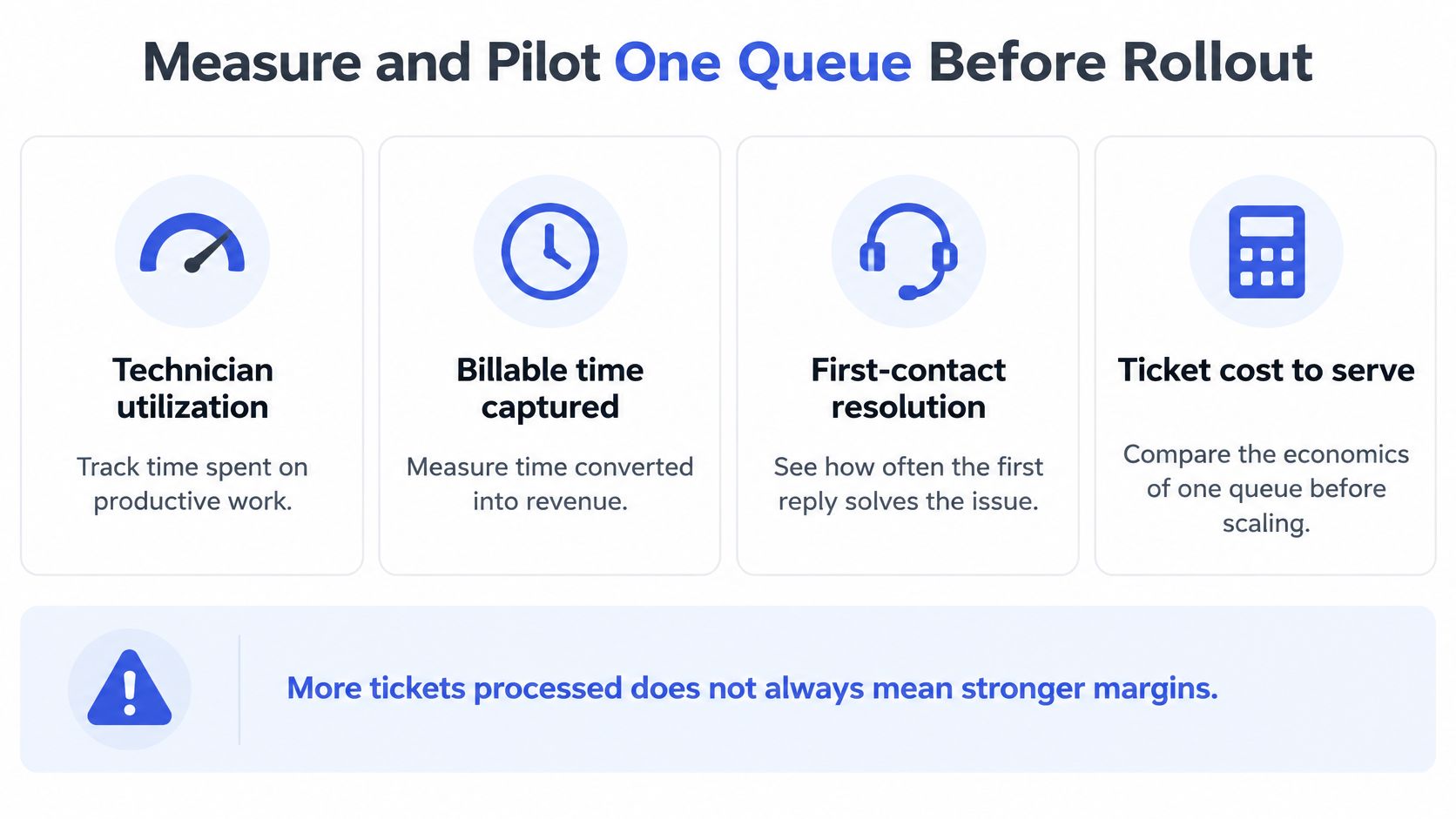
A system can process more tickets while margins fall. Measure technician utilization, billable time captured, first-contact resolution, reopen rate, SLA performance, documentation quality, client retention, and gross margin by account.
TechTarget's service-desk automation coverage cites a 2025 Gartner survey of 782 infrastructure and operations leaders in which only 28% of AI use cases met ROI expectations, alongside academic research involving 5,179 customer-support agents that found a 14% average productivity improvement, rising to 34% for novice and lower-skilled workers, with minimal impact for experienced, highly skilled workers. Don't assume the same benefit across technician tenure or request categories.
Use these measures to keep the pilot focused on economics.
Run a bounded pilot
Choose a high-volume queue with clear categories, such as after-hours phone intake. Password-reset intake can also work, provided identity verification and execution remain separately controlled.
- Establish a baseline. I would record four weeks of first-contact resolution, reassignment, time to first human action, reopen rate, and resolution time.
- Limit initial authority. Enable intake or triage only. Require approval for closure notes and time entries.
- Inspect the output. As a starting review sample, examine 20 AI-touched tickets each week for omissions, invented steps, and wrong assets.
- Compare like with like. Segment before-and-after results by ticket type, technician tenure, client, and escalation path. Keep an untreated comparison queue where practical.
- Calculate realized margin. Subtract integration, subscription, review, and exception-handling costs from captured revenue and avoided effort.
- Expand conditionally. Widen scope only when errors are within your written tolerance and service outcomes improve.
Use a defined set of MSP KPIs rather than changing success criteria after launch. Faster intake doesn't compensate for more reopens.
Budget for usage and ownership
Our pricing uses one monthly pool of credits, with no per-seat fees, month-to-month terms, cancellation anytime, and the first month free. Starter costs $250/month for 2,500 credits, around 1,700 tickets per month, with all AI agents, unlimited users, 24/7 in-app support, and 100 GB storage.
Treat that capacity as an estimate, not a substitute for measuring your workload. Name an owner for every escalation trigger before launch, and pause rollout if you can't identify who owns each automated action.
Vight connects service-call documentation, ticket triage, and cited knowledge retrieval to the PSA your technicians already use. Visit Vight to evaluate a bounded pilot around one queue, with clear approval rules and success measured through margin, rework, and reopen rates.