The usual advice on ConnectWise vs Autotask is to follow the logo already on the wall. Datto shop, buy Autotask. Automate shop, buy ConnectWise. That shortcut skips the work that protects margin: whether a ticket becomes a complete, billable, SLA-stamped record without a cleanup pass the next morning.
Age does not settle it either. A Datto Autotask market summary places ConnectWise's start in 1982, notes that by 2011 more than 60,000 IT professionals used its software, and cites September 2021 reporting of more than 35,000 MSP and technology-solution-provider customers. Autotask arrived in 2001, moved to Datto in 2017, and sits with Kaseya after 2022. The useful comparison is how each product forces notes, time, and service timing in a normal day, plus what it costs to leave.
Table of Contents
- ConnectWise vs Autotask at a Glance
- Intake, Time Entry and SLA Rules Compared
- Integrations With RMM, Documentation and Phones
- Reporting, Usability and Published Ratings
- Switching Between the Two PSAs
- Choose Your PSA With a Two-Week Pilot
ConnectWise vs Autotask at a Glance
A clean comparison chart is only useful if the rows are the ones a dispatcher and a biller touch before lunch. The comparison chart advice from Comredix is a good reminder to keep those rows short and parallel, which is what the table below does.
| Factor | ConnectWise PSA | Autotask PSA |
|---|---|---|
| Workflow model | Highly configurable service workflows with agreement and billing logic | Same core objects (tickets, contracts, time, invoicing, projects, assets, SLAs, reports) with a more standardized model |
| Time tracking | Minute-level, linked to tickets, projects, clients, and agreements | Status-dependent time-entry rules; summary notes required when a ticket is completed |
| Ticket intake | Shaped by service boards, statuses, and workflow mapping | Email-to-ticket conversion with a Workflow Rule Engine |
| SLA handling | Configured through agreements and service-level rules | Four SLA events (First Response, Resolution Plan, Waiting Customer, Resolved) mapped to statuses and timestamped |
| Setup effort | Higher administrative overhead and modular configuration | Standardized objects, less board-by-board design when the stack is already Kaseya |
| Pricing | Quote-based; a cited larger-deployment band of $75–$120 per user per month | Quote-based; treat that same band as a planning range, not an Autotask price card |
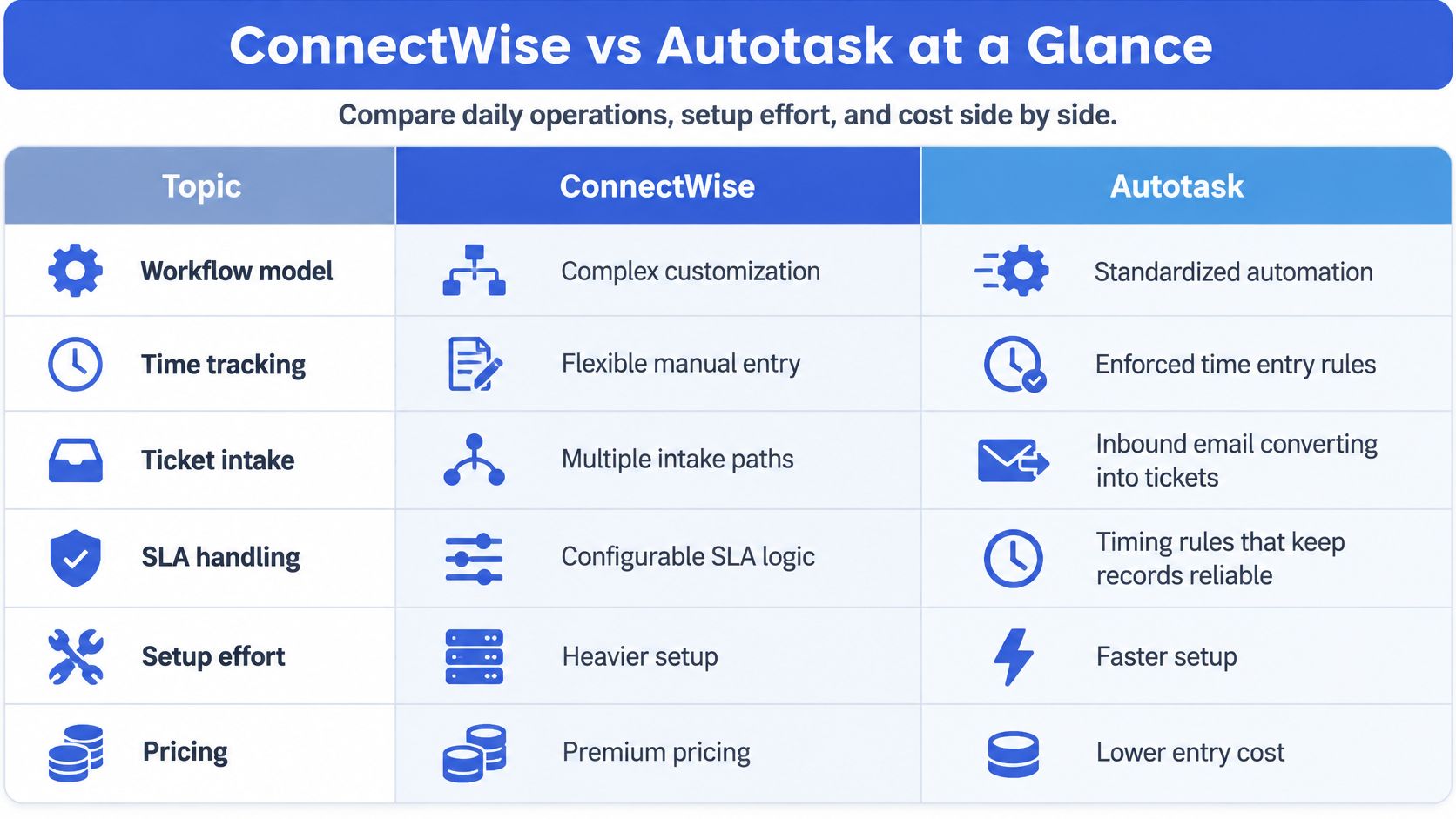
ConnectWise's PSA documentation is explicit that technician time can be tracked to the minute and tied to tickets, projects, clients, and agreements. Autotask's model is stricter about when an entry is allowed to exist at all. Independent side-by-side writeups describe ConnectWise as broader and more configurable, and also as heavier to administer.
Owners should stare at setup and price. A pricing analysis puts negotiated PSA pricing at roughly $75–$120 per user per month for larger deployments, with initial professional services of $10,000–$30,000 for organizations with 10–50 users. Both vendors quote, so ask for the same user count, the same agreement types, and the same integration list. Service-desk managers should read intake and SLA rows. Operations leads should read time tracking, because that row is where unbilled minutes hide.
ConnectWise fits a team that will invest in boards, agreements, and project logic. Autotask fits a team that wants the same objects with more of the rules already shaped.
Intake, Time Entry and SLA Rules Compared
The 8:40 printer email
Say a client emails "printer offline" at 8:40 a.m.
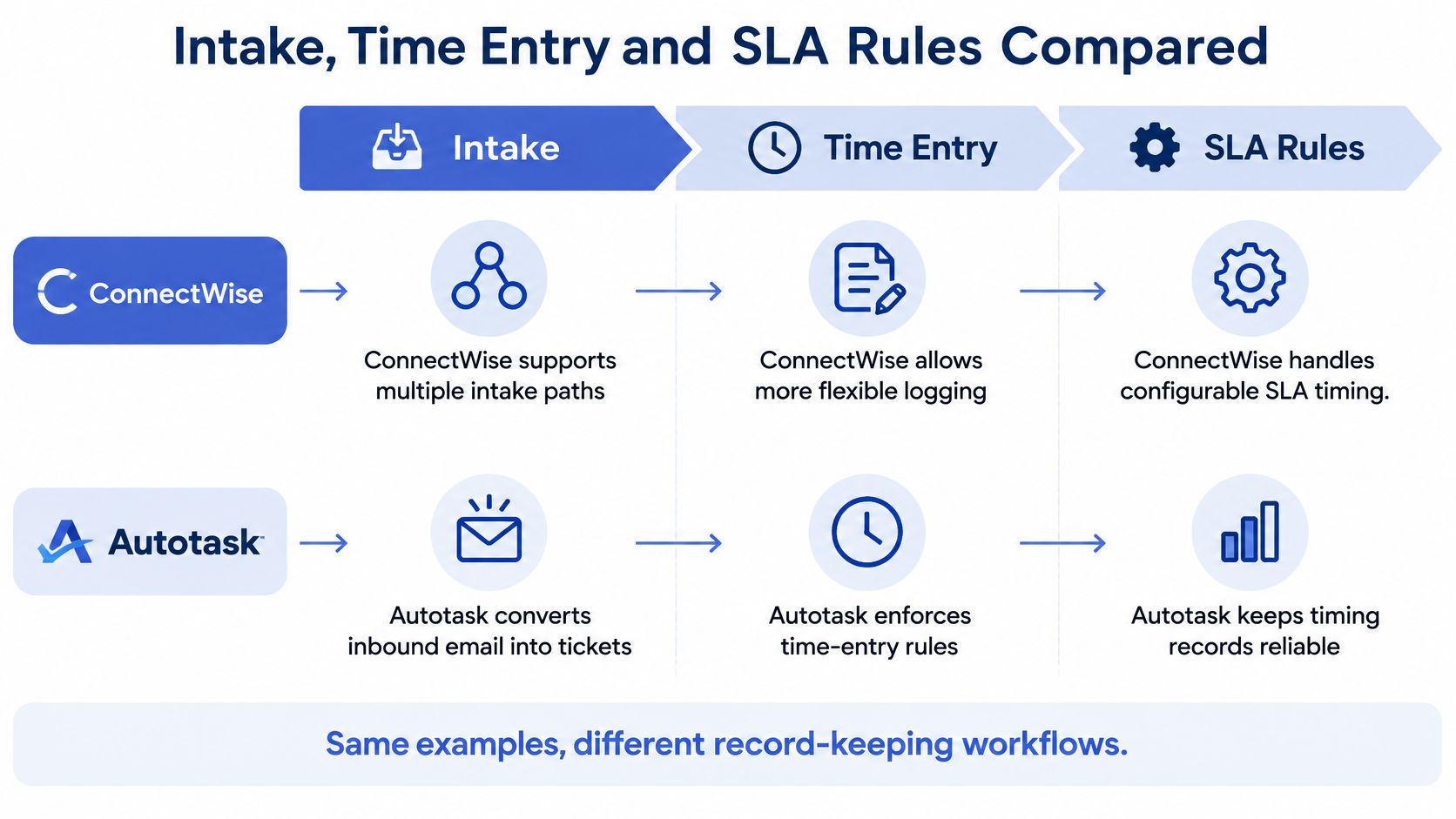
On Autotask, incoming-email processing can turn that message into a ticket and, in the same workflow, update the status, create a time entry, and change the billing role. The Workflow Rule Engine keeps evaluating conditions on tickets and other records, then updates data or sends a notification. A rule can move the ticket toward a working queue. A person still sets priority when the email does not say whether the whole office is down.
On ConnectWise, the same email lands on a service board only if the board, status, and workflow were mapped for that client and that agreement. More of the design happens before the first ticket. Once the board is right, recurring steps across service, billing, and projects can run without a fresh decision each time. If the board is wrong, the ticket sits in the wrong agreement until someone notices at invoice time.
We sit on top of either path. Every new ticket is matched to the request, the client is emailed for missing detail, an internal note is posted, and the ticket moves to a ready-to-work status you choose. The PSA remains the place the record lives.
Twelve minutes at 4:55
A technician logs 12 minutes at 4:55 p.m. on a ticket still marked New.
Autotask can refuse that save. If the ticket category requires a status change off New before time is entered, the time-entry rules block the entry until the status changes. If the entry would mark the ticket Complete, at least one day must contain summary notes. Incomplete to-dos can be finished through a confirmation step at close. That is enforcement, not a suggestion in a style guide.
ConnectWise will take the 12 minutes to the minute and attach them to the ticket, the client, and the agreement, provided the board's time and billing setup allows it. Nothing in the product story forces a summary note the way the Complete rule above does. A loose board will accept a bare entry. A tight board will not. The difference is configuration you own, not a single global gate.
Practical rule: If your billing policy says "no note, no invoice line," Autotask already has a gate for that. ConnectWise can match it, but only after someone builds the board that way.
Call documentation has to survive those gates. We transcribe and summarize each call, then post a structured time entry with the speaker, the issue, the steps taken, and the resolution. That gives the summary-note field something real to hold, which is also why the question of whether MSPs should bill for ticket-note time belongs in the pilot, not in a sidebar.
Four clocks, or the agreement you wrote
Autotask service level management measures four events: First Response, Resolution Plan, Waiting Customer, and Resolved. Admins map each event to a status. When the ticket hits that status, the clock is written. Notes, time entries, or a workflow status change can stamp the event, including a retroactive stamp from a time entry for work done earlier.
ConnectWise keeps SLA timing inside the agreement and the service-level rules you configure. The clock is as reliable as that agreement design. A missed status on a custom board does not get a vendor-defined event name to fall back on.
Run one billing cycle on paper before you pick. If your contracts bill only when a note, a role, and a status all exist, Autotask's blocks match the discipline. If your contracts depend on project phases and agreement exceptions that no standard status list covers, ConnectWise's boards earn the setup time.
Integrations With RMM, Documentation and Phones
| Stack layer | ConnectWise PSA pairing | Autotask PSA pairing | Our connection |
|---|---|---|---|
| Remote monitoring | ConnectWise Automate and ConnectWise RMM | Datto RMM inside the Kaseya stack | ConnectWise Automate and ConnectWise RMM; Datto RMM is not on the listed set |
| Documentation | Operational context stored on boards, tickets, and agreements | IT Glue inside the Kaseya stack | IT Glue, Hudu, and SharePoint |
| Phone systems | No phone product ships with the PSA; connect the PBX you already run | No phone product ships with the PSA; connect the PBX you already run | 3CX, RingCentral, Zoom Phone, Dialpad, and 8×8, among others |
Autotask's advantage shows up when the MSP is already on Datto RMM and IT Glue. Contract, client, asset, and alert context share a vendor family, so a Datto alert can sit next to the contract that should bill it. ConnectWise's advantage shows up when Automate or ConnectWise RMM is already the monitoring standard. Alerts, boards, and agreements can be aligned, but service boards, statuses, agreements, and custom fields still need a deliberate map. Skip that map and the ticket automates into the wrong queue.
What stays the system of record
We connect to ConnectWise, Autotask, HaloPSA, and Syncro for ticketing, to ConnectWise Automate and ConnectWise RMM for monitoring, to Microsoft Teams and Slack for messaging, and to SharePoint, IT Glue, and Hudu for documentation. Phone coverage includes 3CX, RingCentral, Zoom Phone, Dialpad, and 8×8, plus several other PBXs. An Autotask phone integration is one path. The same call can post into ConnectWise.
We do not replace the PSA. Notes, time entries, ticket sync, client sync, and ticket AI apps write into the PSA you already run. Each call is transcribed and posted as a structured time entry: speaker, issue, steps taken, resolution.
Datto RMM is not on that integration list. If monitoring is Datto and the PSA is Autotask, confirm how alerts reach the ticket before you treat the stack as one product. List the RMM, the documentation tool, the chat tool, and the phone system you run today, then count how many are native to each PSA. The higher native count is the lower-friction PSA. The phone and the notes layer can sit on either one.
Reporting, Usability and Published Ratings
| Measure | Autotask PSA | ConnectWise PSA |
|---|---|---|
| Software Advice overall | 4.2 out of 5 | 4.2 out of 5 |
| Ease of use | 3.9 out of 5 | 3.9 out of 5 |
| Deployment | 3.6 out of 5 | 3.6 out of 5 |
| Value | 4.0 out of 5 | 3.9 out of 5 |
| Support | 4.1 out of 5 | 3.9 out of 5 |
| Functionality | 4.2 out of 5 | 4.2 out of 5 |
| G2 overall | 4.3 out of 5 | 3.9 out of 5 |
Software Advice shows both products at 4.2 out of 5 overall, 3.9 for ease of use, and 3.6 for deployment. Autotask scores 4.0 for value, 4.1 for support, and 4.2 for functionality. ConnectWise scores 3.9, 3.9, and 4.2 on those same three. A separate G2 read is 4.3 for Autotask and 3.9 for ConnectWise. Review counts and survey dates are not the same study, so this is a trade-off picture, not a controlled benchmark.
A vendor-relayed index, kept in its place
In the 2024 G2 Summer Report, as Datto summarized G2's figures, Autotask PSA received an overall satisfaction score of 79.44 out of 100, compared with 13.43 for ConnectWise PSA. Datto has a commercial stake in Autotask. Treat that index as a claim to open in G2 yourself, not as a peer of the star rows above. The gap is too wide, and the publisher is too close, to use it as a buying score.
Reporting maturity still leans toward ConnectWise when agreements, projects, and profitability views have to be bent around how the MSP sells. Autotask's reporting is easier to trust when the data model is the standardized Kaseya set: contract, asset, ticket, time. Star ratings will not tell you which of those two reporting jobs you have.
Profitability analytics can sit beside either PSA. Margin distribution and profit contribution by company compare service revenue with actual time worked, split by technician. Pair that view with the MSP KPIs you already review in a monthly ops meeting, instead of adding another dashboard nobody opens.
The pilot number that beats a star is simpler. During two weeks, how often does the billing category on the posted time match the agreement, and how long is it from the end of the call to a ticket a technician can start?
Switching Between the Two PSAs
A lower license quote can still be the expensive choice if boards, agreements, and billing rules take months to rebuild. Ticket history is mostly an archive problem. Billing configuration is the part that loses money if it moves badly.
- Inventory the live system. Count ticket queues or service boards, agreement and contract types, custom fields, and accounting integrations. Write the counts down. Those counts are the migration's size, not the sales demo.
- Sort every object into move, rebuild, or retire. Client and contact records usually move as they are. ConnectWise service boards and Autotask status-and-workflow rules usually get rebuilt, because the enforcement model is not the same shape. Old notification experiments should be retired on purpose, or they come back as duplicate tickets.
- Price the people, not only the quote. Start from the license band and the professional-services band already used for a like-for-like proposal. Then add technician retraining hours and the weeks you will pay for two PSAs at once. Retraining is longer where statuses gate time entry, because techs learn a refusal, not a new menu.
- Run one full billing cycle in parallel. Keep the current PSA as the system of record. Let a slice of new tickets flow into the new one. Compare invoice output for the same clients. If the totals diverge, stop and fix mapping before any cutover speech.
- Cut over on a date, then archive. Freeze new agreements in the old system on that date. Export historical tickets to meet the retention period in your contracts. Do not try to recreate five years of board history as live workflow.
Leave the old PSA up in read-only form until one clean billing cycle closes on the new one. That single cycle catches more revenue leaks than another week of sandbox demos.
Choose Your PSA With a Two-Week Pilot
| Situation | Lean toward | Why |
|---|---|---|
| Already standardized on Datto RMM and IT Glue | Autotask | Lower-friction fit with the Kaseya stack |
| Complex agreements, project workflows, and profitability reporting are central | ConnectWise | Deeper configuration rewards the investment |
| Standardized on ConnectWise Automate or ConnectWise RMM | ConnectWise | Native remote-monitoring alignment |
| Strict time-entry and status enforcement is required | Autotask | Status-dependent rules block incomplete entries |
| Mixed stack with no dominant vendor | Pilot both | The result follows your workflows, not a default brand |
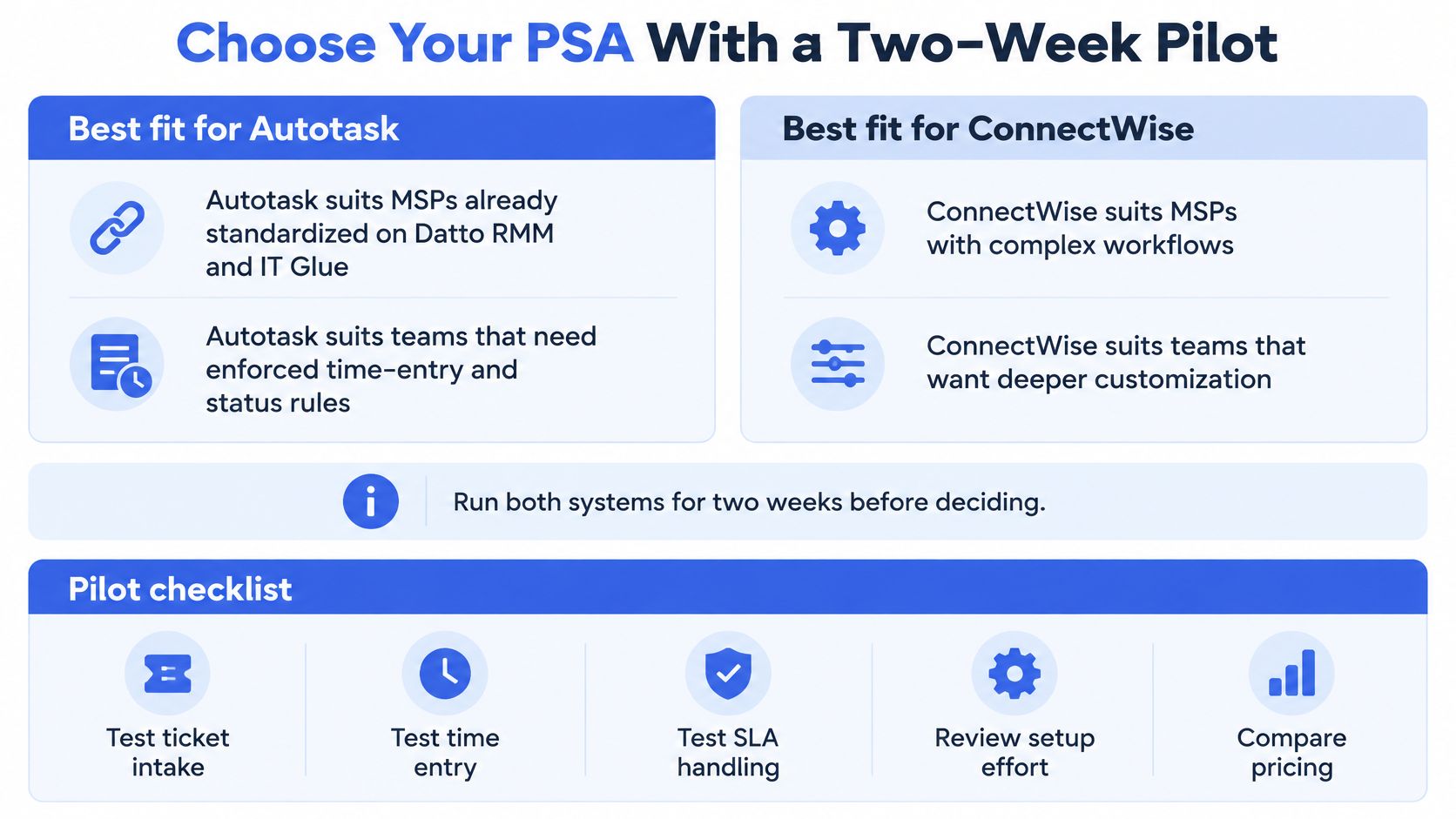
If one row above matches the stack you already pay for, start there and use the pilot to try to disprove it. If two rows point at different products, the pilot is the decision, not a formality.
Five checks, same tickets, both products
- Pick four scenarios and write them down. After-hours intake, a ticket that is missing the device name, a technician work note from a finished call, and an escalation to a senior tech. Use real tickets from last month, with the client name stripped.
- Run each scenario in both PSAs. Trial or sandbox access is enough. Same email text, same 12-minute entry, same SLA target. Change one variable at a time or you will argue about the script instead of the product.
- Record three outcomes. Median minutes from call end to ready-to-work, the share of records a human had to edit, and whether the billing category matched the agreement. Those three beat a feature checklist.
- Break the happy path on purpose. Submit a duplicate of the printer email. Post time against a New status. Paste a note that is longer than your usual format. Sign in as a tech who should not see another client's tickets. The product that fails politely is the one your night team can live with.
- Put a number on leaving. Count queues and workflows, contract types, accounting integrations, and the retention window. Estimate retraining hours and the dual-running period you can afford. If rebuilding boards and billing rules runs past a quarter, the cheaper quote is not the cheaper PSA.
Write the choice and the three metrics in the same note the owners will see. Reopen it when the RMM or the documentation platform changes, because that is when the lean in the table flips, not when a review site updates a star.
We connect the phone system you already run to ConnectWise or Autotask, post the call as notes and time, and move thin tickets to a ready-to-work status without replacing the PSA. If the pilot is really about documentation discipline and billing accuracy, that layer belongs in the same two weeks as the PSA trial. See how it sits on your stack at Vight.