A ticket starts with a voicemail. The client calls back twice, then emails a screenshot, but the technician gets a ticket with no call notes and has to start the intake again. That's the gap many ConnectWise integrations aim to close, but they cover different parts of the workflow. ConnectWise's Marketplace had more than 400 vendor integrations by September 4, 2024, showing how broad the ecosystem is, not that every option handles calls or documentation (ConnectWise's integration ecosystem).
This comparison groups tools by the work they touch: call and documentation capture, native intake and triage, ticket automation, client experience, and reporting. Vight is the option here built around phone calls, and it supplements ConnectWise rather than replacing the PSA. Other tools may be strong at dispatch, automation, client portals, or analytics while leaving call intake and documentation untouched. Shortlist by the step causing the most friction, then confirm how the tool handles ticket data, permissions, and setup in your environment.
Table of Contents
- 1. ConnectWise Integration | Calls and AI on Every Ticket
- 2. ConnectWise Sidekick
- 3. ConnectWise Service Desk Agents
- 4. Pia
- 5. Rewst
- 6. Thread
- 7. DeskDirector
- 8. MSPbots
- 9. Reports and Dashboards (formerly BrightGauge)
- 10. Customer Feedback (formerly SmileBack)
- How the ConnectWise integrations compare on focus, call handling, and pricing
- Matching Your Bottleneck to the Right ConnectWise Integration
1. ConnectWise Integration | Calls and AI on Every Ticket
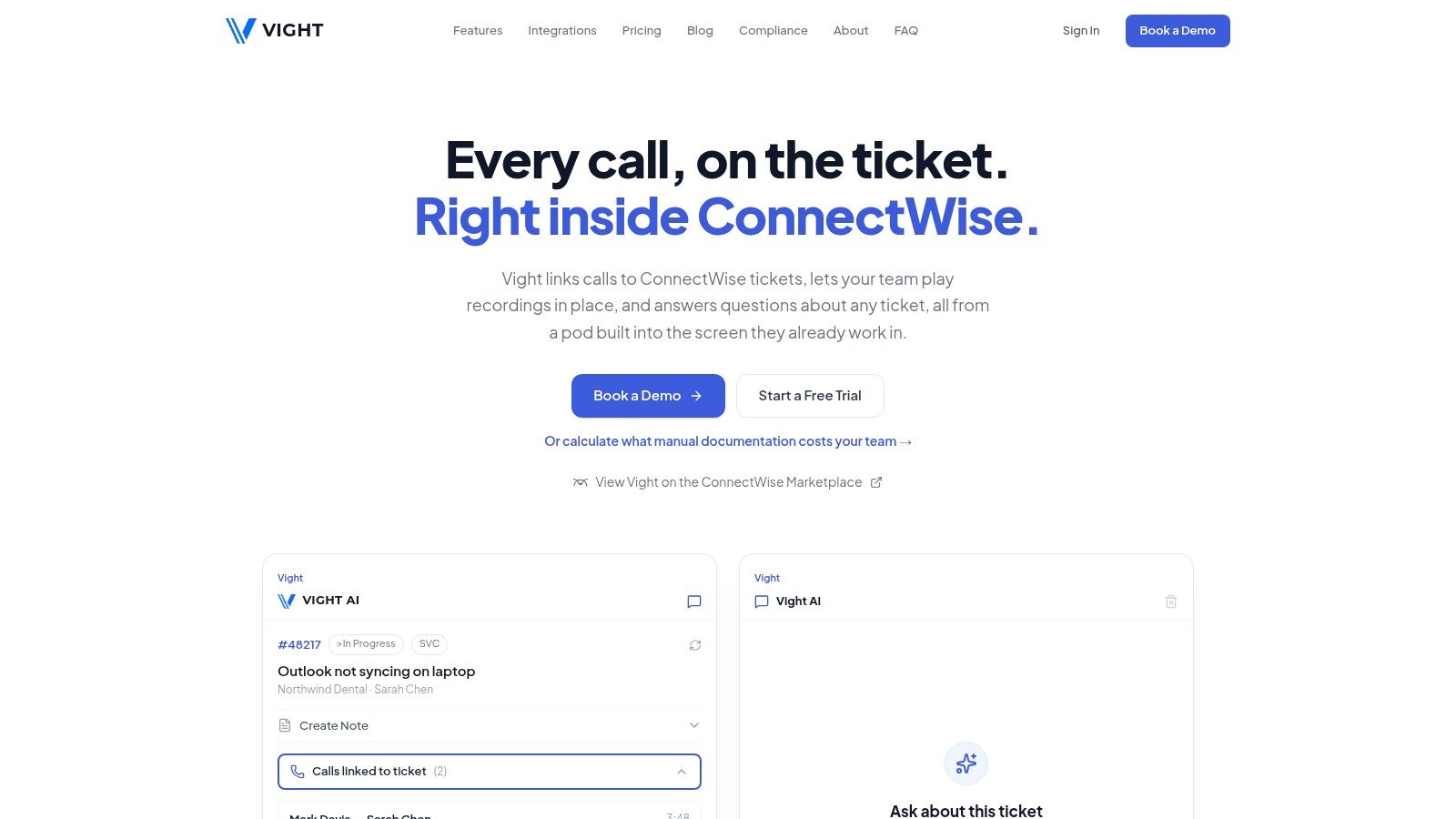
Vight treats the phone call as the start of the ticket, not a separate record a technician reconstructs later. It connects your existing phone system, including 3CX, RingCentral, and Zoom Phone, to ConnectWise. Calls link to matching tickets, AI summaries capture the issue, troubleshooting, and resolution, and call notes and time entries post into the PSA.
That workflow fits MSPs whose recurring problem is incomplete call documentation. Vight does not replace ConnectWise; it writes into the PSA and syncs tickets and clients. It is not a dispatch console, project automation tool, or client portal. The assistant also answers plain-English questions from ticket history, client configurations, devices, credentials, and notes, citing the source ticket or document behind each answer. SharePoint, IT Glue, and Hudu connections put client documentation beside the ticket record.
Ticket triage handles the other half. Vight matches each new request, emails the client for missing details, posts an internal note, and moves the ticket to a ready-to-work status you choose. If the next gap is turning voice inquiries into booked appointments, appointment booking with Expressify AI is a separate layer to evaluate.
Practical rule: Verify that company and contact matching is deterministic before turning on automated updates. A note attached to the wrong client can pollute ticket history, reporting, billing, and future knowledge searches.
ConnectWise integrations depend on sound field mapping, scoped permissions, retries, and preserved PSA identifiers, not just the ability to create a ticket (ConnectWise's platform and developer resources). Confirm which phone system and ConnectWise workflows you will use, and review usage costs before rollout. Vight reports setup in under one day, but matching rules and permissions still need review. See Vight's ConnectWise integration for the call-and-ticket workflow details.
2. ConnectWise Sidekick
Sidekick is ConnectWise's own AI-assisted option for teams that want help inside the PSA environment. Its published capabilities include ticket summaries and translation, AI-assisted triage, email-response generation, customer sentiment tracking, and business insights. Some use cases also provide access through Microsoft Teams.
That range makes Sidekick a reasonable first comparison when the main bottleneck is understanding, sorting, or responding to ticket work. Its close alignment with ConnectWise may suit service managers who prefer to keep ticket assistance within the PSA ecosystem.
Where Sidekick's coverage stops
The published capabilities don't establish support for external phone systems or call transcription, so don't treat Sidekick as a phone-intake or call-documentation solution without confirming that coverage. The available product description also doesn't establish that it searches documentation stored in other repositories. If technicians lose context because call details or client documentation sit outside ConnectWise, those gaps need a separate solution.
Pricing isn't publicly listed in the reviewed product information. ConnectWise describes customer feedback about faster ticket understanding for dispatchers, but service managers should test the functions against their own ticket types and dispatch process before deciding whether they solve the intake problem.
3. ConnectWise Service Desk Agents
Service Desk Agents target the work between receiving a request and getting a well-formed ticket to the right technician. ConnectWise describes agents that can create linked, prioritized, and assigned PSA tickets, monitor workflows, flag service-quality or SLA risks, and assist within tickets. The product page also describes a free-trial path, though current terms and availability should be confirmed directly.
For a service manager dealing with slow triage or inconsistent dispatch, native automation is the main advantage. The agents use ConnectWise ticket, workflow, client-history, and device data, keeping the activity close to the PSA rather than requiring a separate service-desk console.
An automated ticket can still be a bad handoff. Check whether it includes the client's actual symptoms, relevant history, and next action, not just a category and assignee.
Intake is not the same as call capture
The listed features address ticket intake and service-desk oversight, but they don't establish support for external phone systems or documentation products. If the original request arrives by phone and technicians need a transcript or searchable call record, confirm that gap before choosing this as a complete intake solution. It may also be less suitable if you need a tool designed to work across multiple PSAs.
Pricing and eligibility details aren't established in the reviewed information. For a broader view of how automated intake fits into the service desk, see this guide to an AI ticketing system.
4. Pia
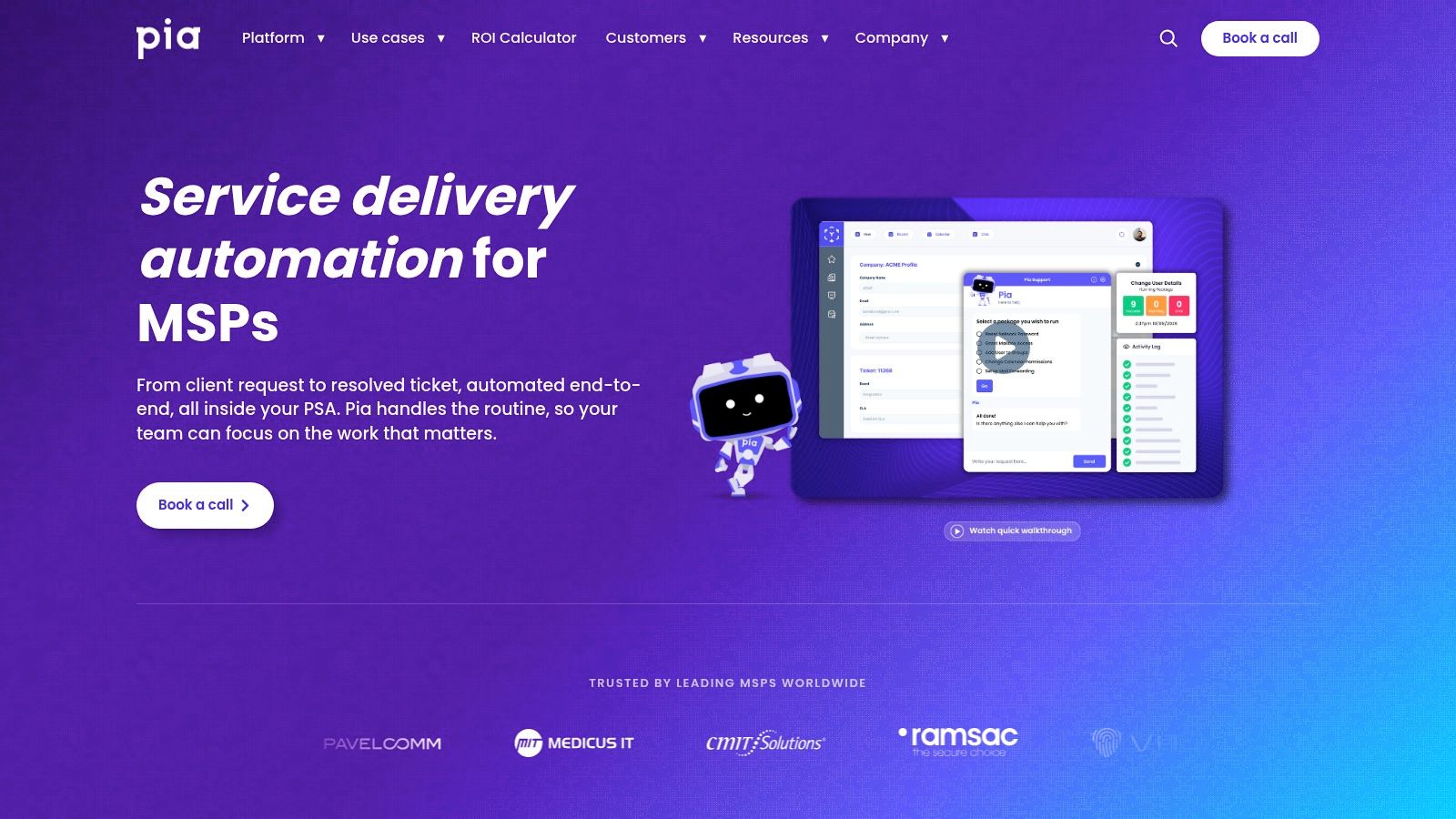
Pia is aimed at automating service-delivery work while keeping technicians close to their existing PSA workflow. Its ConnectWise integration syncs companies, works tickets on selected boards, and escalates issues to the appropriate contact. Technicians can use a PSA-native interface, while background automation and real-time updates through webhooks handle work behind the scenes.
That makes Pia worth evaluating when the goal is to automate repeatable actions on existing tickets, rather than build a phone system or call transcription process. It supports ConnectWise, Autotask, and HaloPSA, which can matter for MSPs managing more than one PSA environment.
A focused automation choice
Pia's strength is service delivery automation. It doesn't provide a complete phone system or call-transcription platform, so it won't by itself capture a voicemail, summarize a client call, or put a recording beside the ticket. Teams with a call-documentation problem will need a separate tool for that part of the workflow.
Pricing isn't publicly listed in the reviewed information. Before rollout, define which boards and ticket types Pia should touch, how escalations are routed, and how staff will review automated actions. For a related view of help-desk automation, read about AI help-desk tools.
5. Rewst
Rewst is for MSPs that want to build workflows across a wider stack, not just automate a single ticket action. Its integrations include ConnectWise PSA, ConnectWise Automate, and ScreenConnect, with workflows spanning PSA, RMM, Microsoft, Google, and documentation tools. Teams can use it for customer-facing processes as well as internal operations.
The advantage is reach. A workflow can connect systems that a focused ticket assistant may leave separate, which is useful when the same repeatable process crosses service desk, identity, endpoint management, and documentation tools.
Flexibility needs an owner
That breadth comes with design and maintenance work. Someone needs to define triggers, conditions, error handling, and ownership when an application or process changes. A flexible automation platform can become another system to maintain if the team builds workflows without documenting why they exist or who supports them.
Rewst doesn't present itself as a complete phone system or call-transcription product in the described offering. If your priority is turning conversations into ticket notes, don't assume broad workflow automation will provide call capture by itself. Pricing wasn't publicly established in the reviewed information, so compare the expected build and upkeep effort as well as subscription cost.
6. Thread
Thread combines service-desk collaboration with ConnectWise PSA and Automate integrations. Its offering centers on conversation-based support, with AI functionality and automation within support interactions. That can suit MSPs looking to keep client and technician communication connected to service work rather than split between chat and ticket records.
Thread's ConnectWise Marketplace listing describes it as ConnectWise Invent certified. That status is a separate assurance tier from an open integration: ConnectWise says open integrations are self-service and aren't reviewed, supported, certified, or security-reviewed by the company, while certified integrations go through review and security assessment through Invent (ConnectWise Marketplace integration listings). Check the current listing and permissions before selecting a product, since certification status and implementation details matter to your risk review.
The trade-off is the collaboration model. If clients already use a different request channel, moving support conversations into another interface may add friction rather than remove it. Thread's described features don't establish that it provides a complete external phone system or call-transcription workflow. Public pricing wasn't available in the reviewed information, so assess the fit with a real client-support process before committing.
7. DeskDirector
DeskDirector focuses on the client-facing service experience. Its ConnectWise integration offers a portal, ticket-linked chat, customizable request forms, approvals, mobile ticket access, and access to quotes and invoices. Microsoft Teams and Power Automate integrations add options for clients and staff who want to connect support requests to existing collaboration workflows.
Choose DeskDirector when clients struggle to submit requests, follow progress, or approve work. A portal can make those interactions more structured and expose selected service or billing information without making the PSA itself the client interface.
Don't confuse a better request channel with better call records. DeskDirector isn't a substitute for AI call summaries or phone intake, so it won't solve undocumented conversations by itself.
The ConnectWise Marketplace listing said DeskDirector wasn't ConnectWise Invent certified at the time of review. Confirm its current status and review the permissions the integration requires. Pricing wasn't publicly available in the reviewed information. Its value depends on whether clients will use the portal and forms consistently, rather than continuing to send requests through informal channels.
8. MSPbots
MSPbots combines operational reporting with rules-based process automation. Its ConnectWise Marketplace listing describes dashboards, real-time PSA monitoring, alerts for workflow or process issues, and escalation to managers when problems persist. That mix can help service leaders see where work is stuck and prompt action before a queue issue becomes a client complaint.
It's a different category from call capture or AI ticket documentation. MSPbots can monitor PSA activity and surface process problems, but the described offering doesn't transcribe phone conversations or create call summaries. If the team's main issue is missing call context, dashboards won't fill that gap.
Use alerts to trigger ownership
Rules and escalations work best when each alert has a clear recipient and an expected response. Too many alerts without ownership train staff to ignore them. Start with the operational conditions managers already care about, such as tickets that need escalation or workflows that have stopped progressing, then tune the rules based on whether they lead to action.
The Marketplace listing described MSPbots as not ConnectWise Invent certified at the time of review, so verify its current status and integration permissions during evaluation. Current pricing wasn't provided in the reviewed information. It's a better fit for visibility and process nudges than for phone intake or documentation automation.
9. Reports and Dashboards (formerly BrightGauge)
Reports and Dashboards turns ConnectWise and other connected-system data into dashboards and reports. It's an analytics complement, not a ticket-automation tool. Service leaders can use it to monitor workload and performance, while executives can combine data sources to examine business measures.
Published pricing lists Standard starting at $300 per month when billed annually or $335 per month when billed monthly, with higher tiers and add-ons available (ConnectWise Reports and Dashboards pricing). Plans limit datasource and administrator counts, and some published plans include a one-time implementation fee, so compare the full configuration you need rather than the entry price alone.
Dashboards report on available data. They don't handle calls, transcribe conversations, or automatically document ticket work. If the PSA record is incomplete, reporting may show the gap but won't repair it. The same is true if managers choose metrics that don't connect to service outcomes.
For useful dashboards, define the decisions each view should support and assign an owner to act on exceptions. This guide to MSP KPIs can help frame which measures belong in an operational review. For additional guidance on designing dashboards that lead to decisions, see Five Nines' dashboard advice.
10. Customer Feedback (formerly SmileBack)
Customer Feedback gathers responses around service interactions and connects them to MSP operations. Its features include one-click surveys, CSAT and NPS, dashboards, segmentation, reporting, automated workflows, and PSA updates. Slack and Microsoft Teams notifications can also help service leaders or account managers notice feedback that needs follow-up.
Published monthly pricing for 1–5 agents starts at $88 per month billed annually or $105 per month billed monthly (ConnectWise Customer Feedback plans). Pricing scales with agent count, so budget for the team size you expect to support, not only the starting tier.
Feedback complements the service record
Customer Feedback can show where clients are dissatisfied and help managers spot service-quality patterns beyond ticket metrics. It doesn't automate phone documentation or ticket triage, so it works best as a complement to the systems that capture and process the work itself.
Before choosing it, decide how the team will respond to negative feedback and who owns the follow-up. A survey without a response process generates a signal but doesn't close the client-experience loop. It's a focused option for measuring sentiment, not a call-intake or technician-documentation tool.
How the ConnectWise integrations compare on focus, call handling, and pricing
| Item | Primary focus | Phone or call handling | Published pricing | Best for |
|---|---|---|---|---|
| ConnectWise Integration | Calls and AI on Every Ticket | Call documentation and AI context in ConnectWise | Links calls and recordings to tickets; generates AI summaries | Not publicly listed | MSPs wanting call context and documentation in existing tickets |
| ConnectWise Sidekick | AI-assisted PSA tasks, including summaries, triage, and email responses | External phone support and call transcription not established | Not publicly listed | Teams seeking AI capabilities from their PSA vendor |
| ConnectWise Service Desk Agents | Automating ticket intake, assignment, and service-desk workflows | Phone-system support not established | Pricing not established; free-trial option described | ConnectWise teams automating intake and dispatch |
| Pia | MSP service-delivery and ticket workflow automation | No complete phone system or call-transcription platform | Not publicly listed | MSPs automating technician workflows across PSA platforms |
| Rewst | Cross-platform MSP workflow automation | Call handling not specified | Not publicly established | MSPs standardizing automation across their technology stack |
| Thread | Service-desk collaboration and automation | Conversation-based support; phone handling not specified | Not publicly available | MSPs connecting client communication and service work to ConnectWise |
| DeskDirector | Client-facing service portal and support workflows | Not designed for AI call summaries or phone intake | Not publicly available | MSPs improving request submission, approvals, and client access |
| MSPbots | PSA analytics, monitoring, alerts, and escalation | Focuses on PSA processes, not call transcription | Not provided | MSPs seeking operational visibility and workflow nudges |
| Reports and Dashboards (formerly BrightGauge) | ConnectWise reporting and analytics | Does not handle calls or call documentation | Standard from $300/month billed annually or $335/month billed monthly | Service leaders monitoring workload, performance, and business metrics |
| Customer Feedback (formerly SmileBack) | Customer surveys, CSAT, NPS, and service reporting | Measures feedback; does not automate call documentation | 1–5 agents: $88/month billed annually or $105/month billed monthly | MSPs tracking client satisfaction and service-quality trends |
Matching Your Bottleneck to the Right ConnectWise Integration
The fastest way to narrow the list is to name the handoff that fails most often. If technicians lose time writing up calls, look at call documentation. If tickets arrive without enough detail for a tech to start, look at intake and triage. If clients struggle to submit or track requests, look at the portal. If service leaders cannot see workload or trends, look at reporting. Feature lists rarely make that choice easier. A tool earns a shortlist when its main job matches the handoff you need to repair.
Then ask whether the product touches phone calls at all. That question separates call tools from ticket, portal, survey, and reporting tools. Tickets, portals, surveys, and dashboards can all improve service, but none of them capture a phone conversation, summarize the issue, and write the notes back to the ticket. If the request starts on the phone, confirm the product records or transcribes the call, makes the record available to the team, and posts usable notes and time entries to ConnectWise. Otherwise you are adding another system that still leaves the call undocumented.
Permissions come next. Confirm which client and ticket records the integration can read or update, how credentials are scoped, and what happens to access when a technician changes roles. ConnectWise gives MSPs a wide choice of integrations, but Marketplace listings do not all carry the same review or support model. Check certification, support ownership, and the vendor's security model instead of treating every listing as governed the same way.
Setup and maintenance decide whether the tool survives the quarter. A native ConnectWise feature can reduce the number of systems to manage. A flexible automation platform can connect more of your stack, but someone has to own the workflows and fix them when a trigger breaks. An analytics tool needs a service decision behind each report. A client portal needs a submission path that matches how customers ask for help. The tool with more capability is not automatically the better fit if no one on the team can maintain it.
Measure the handoff before and after implementation: complete ticket intake, time to ready-to-work status, missing-information follow-ups, duplicate tickets, documentation quality, first-touch resolution, after-hours capture, billable-time accuracy, and client sentiment. Demand for integration does not prove that an integration improves service or profitability. Track whether the tool closes a workflow loop, such as collecting missing details or escalating an urgent case, rather than adding more fields or activity to the PSA.
For the call-and-documentation gap, Vight connects phone systems, ConnectWise, and client documentation so calls become ticket records without replacing the PSA. Setup is typically under one day. Visit Vight to see how call documentation and ticket workflows fit your ConnectWise environment. Ask each vendor for current pricing and certification details, then choose the tool that makes the weakest handoff more complete. Review the results with the service desk before expanding automation to more ticket types.